What’s New
New features, improvements and fixes in Diobox, as they ship.
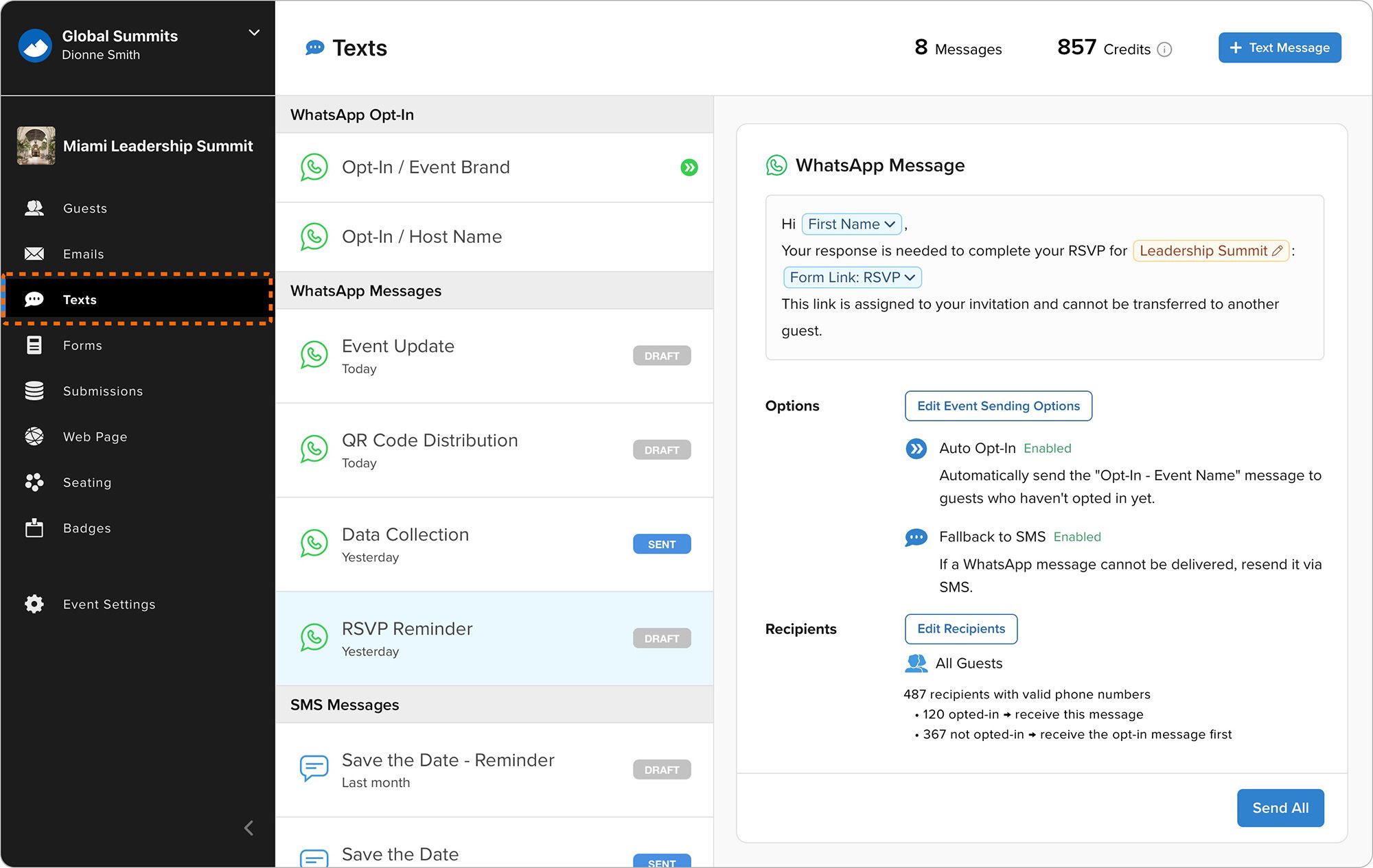
Diobox now includes fully integrated WhatsApp messaging for event communication, alongside existing SMS messaging workflows. Organizers can now send invitations, reminders, confirmations, QR codes, guest instructions, updates, and other…
Announcement, New Feature
Improves Kiosk Mode with larger branding, easier-to-read controls, and more readable on-screen text for a better self-service experience.
Improvement, iOS App
Guests can now register themselves directly on the Kiosk device during the event. This new feature works with existing Diobox Registration Forms and supports customized fields, additional data collection, and event-specific registration…
iOS App
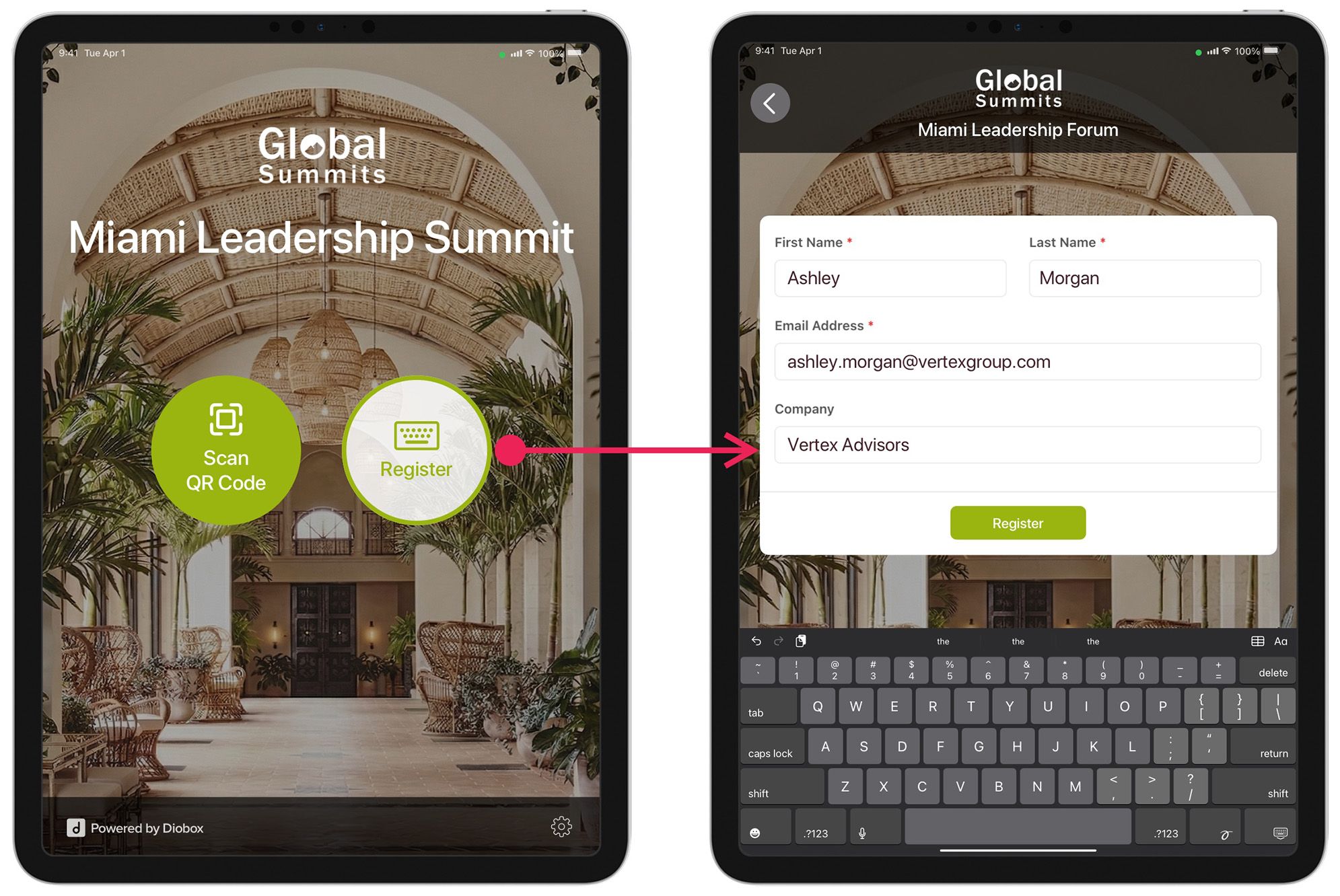
Kiosk Mode now supports walk-in registrations, allowing guests to register themselves directly on the Kiosk device upon arrival. This feature works with existing Diobox Registration Forms and supports custom fields, additional questions…
New Feature
General account enhancements, Kiosk Mode improvements, and a more polished experience throughout.
iOS App
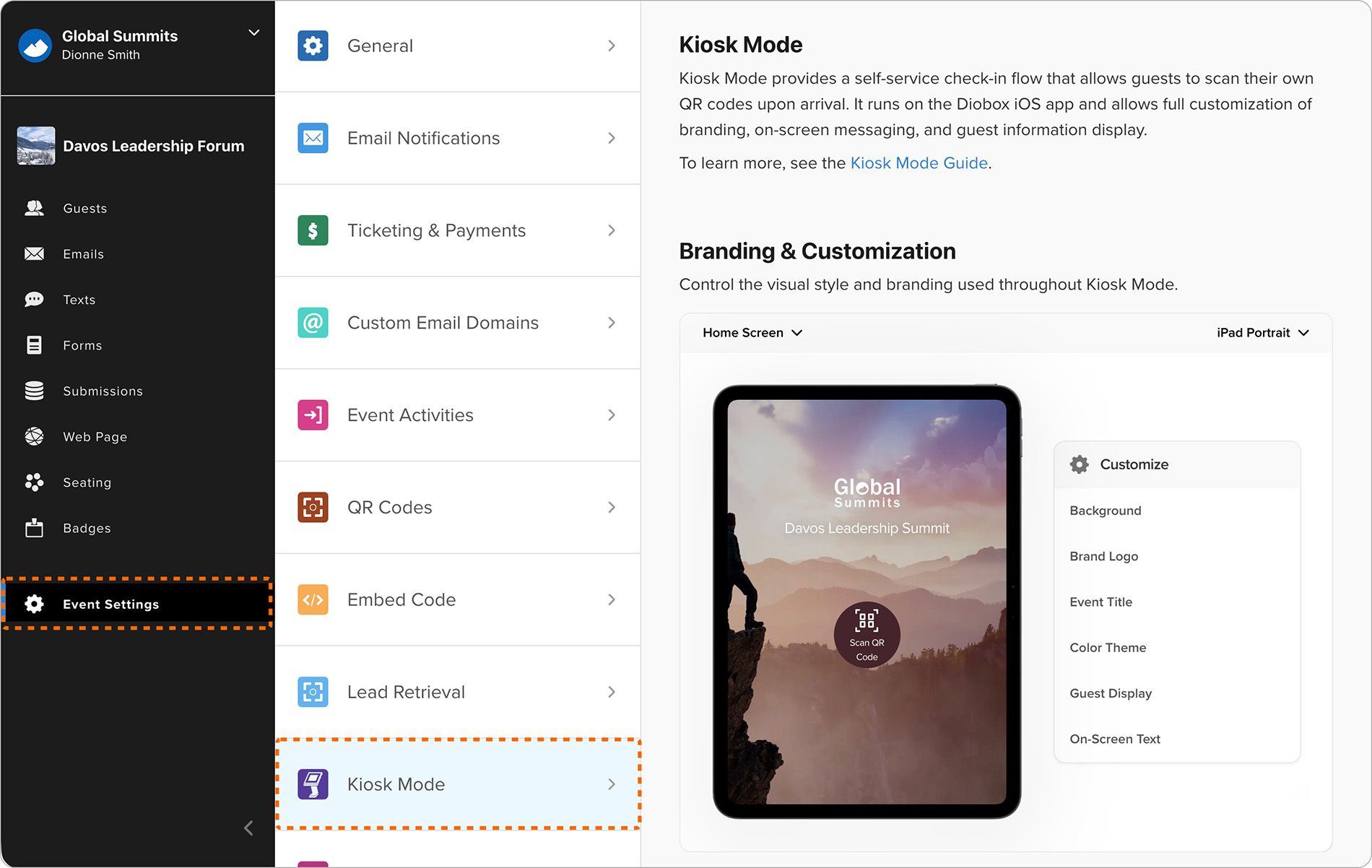
Kiosk mode settings now include a redesigned visual editor that allows customization of background, title, logo, and color scheme with real-time previews across different device types.
Improvement
Form videos now support unlisted Vimeo links, enabling video embeds on registration forms with different privacy settings. Learn more: https://help.d.io/en/articles/11182875
Improvement
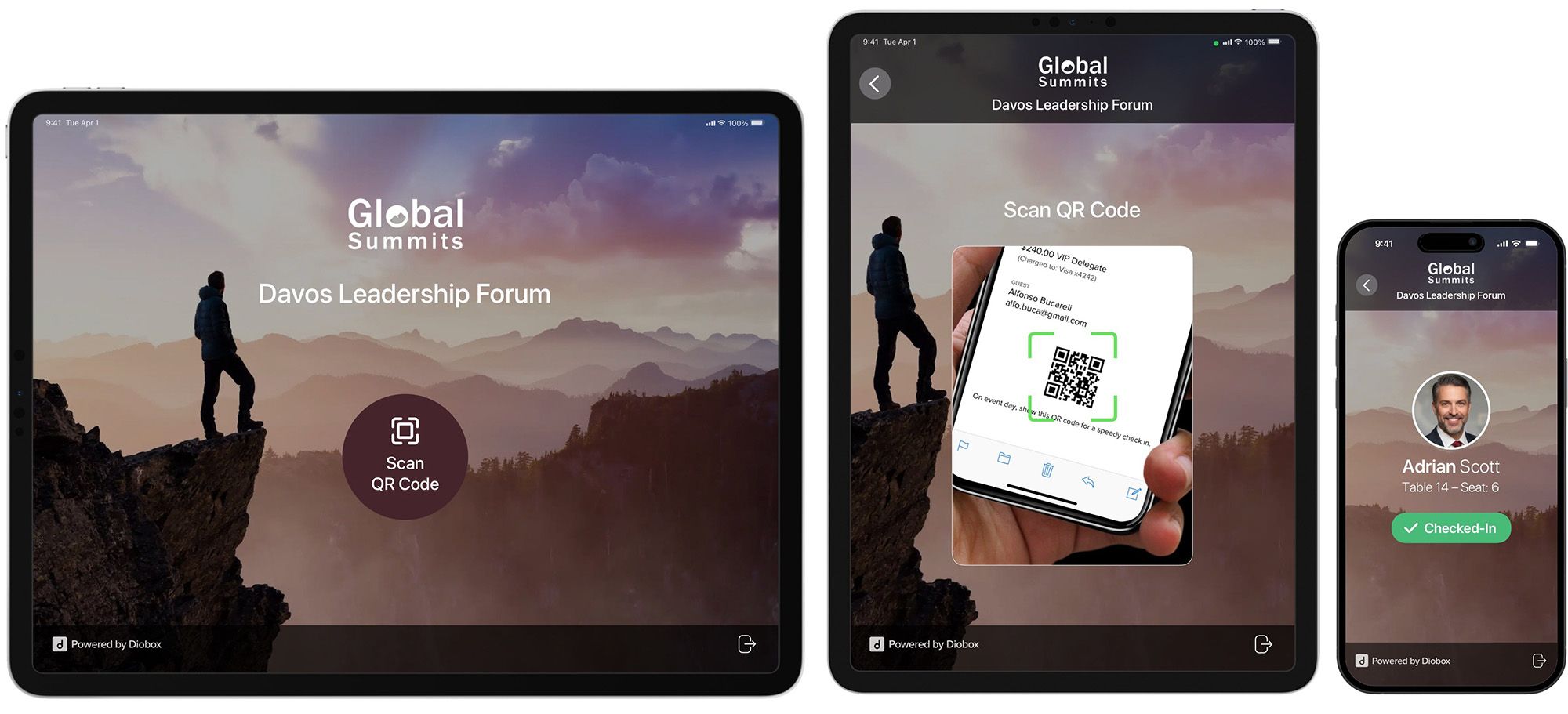
We’re excited to introduce Kiosk Mode, a new way to streamline guest check-in with a fully self-service experience. Kiosk Mode allows guests to check themselves in by scanning their QR codes directly on a device, reducing lines and…
Announcement, New Feature
This version adds support for the upcoming Kiosk Mode for self-service guest check-in with QR code scanning, badge printing, and customizable branding. It also includes improved offline experience with a new connectivity indicator that…
New Feature, iOS App
Added support for Avery Medium Format pre-perforated badges (2.25” x 3.5”), bringing total compatibility to over two dozen Avery templates for flexible desktop and PDF badge printing. Badge printing has also been improved with enhanced…
Improvement
A “Public Event Title” field is available, allowing an alternate title to be used in public-facing areas such as registration forms and email confirmations. Changing the public title does not affect the internal event name used in Diobox.
Improvement
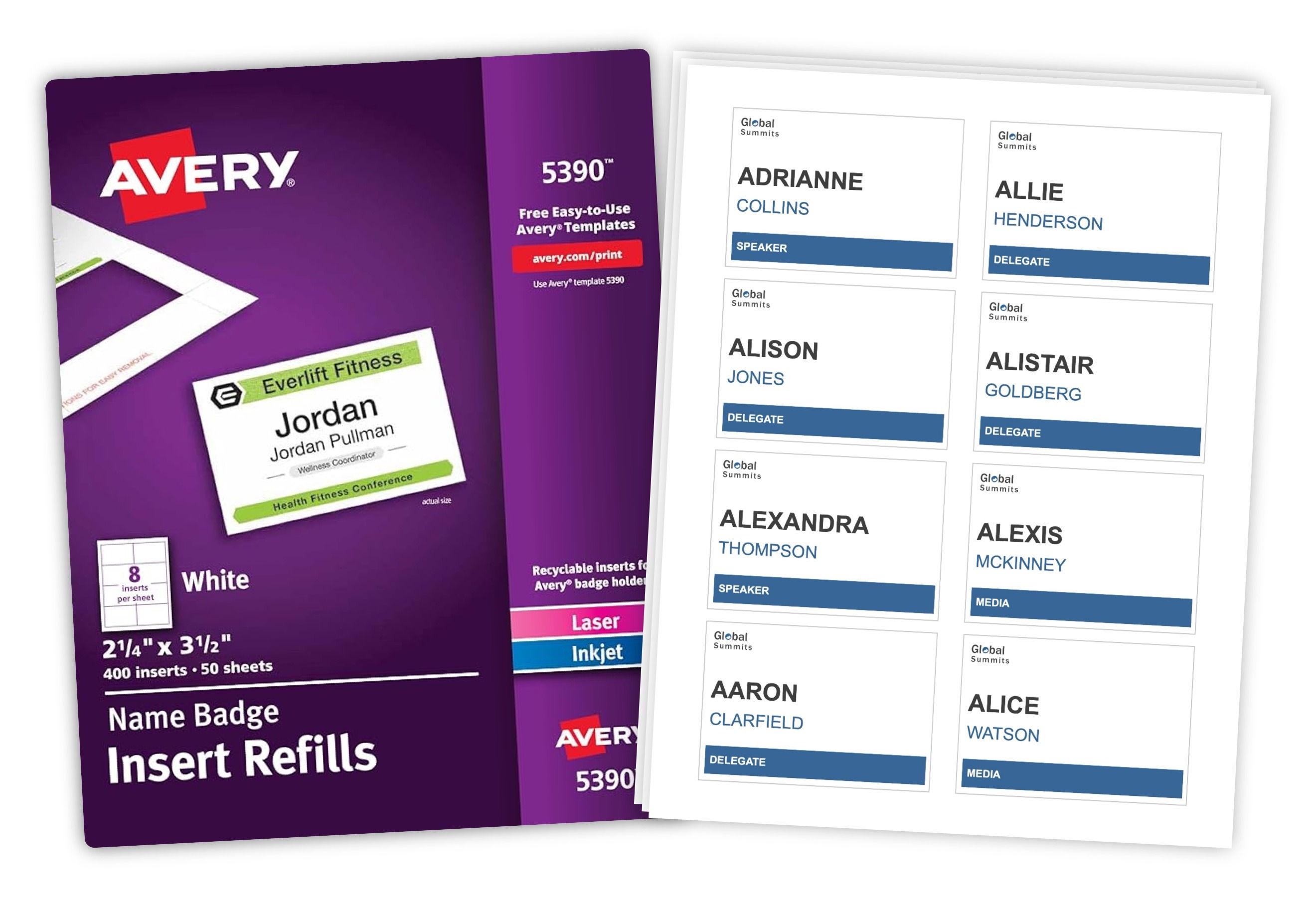
You can now generate badge PDFs in Diobox with support for Avery templates, making it easy to produce multiple badges per page using standard desktop printers and widely available label sheets. This release also includes support for custom…
New Feature