What’s New
New features, improvements and fixes in Diobox, as they ship.
Several issues in the Guests section’s new Columns View have been resolved. Plus-one labels now display correctly, Guest List tag labels update in real time during editing, and user permissions are now fully reflected in this view.
Fix
The Android app QR scanner includes several enhancements to improve event check-ins: Continuous Scan Mode: Scan QR codes continuously to automatically check in guests without extra taps. Check-In Restrictions: Limit scans to confirmed…
Android App
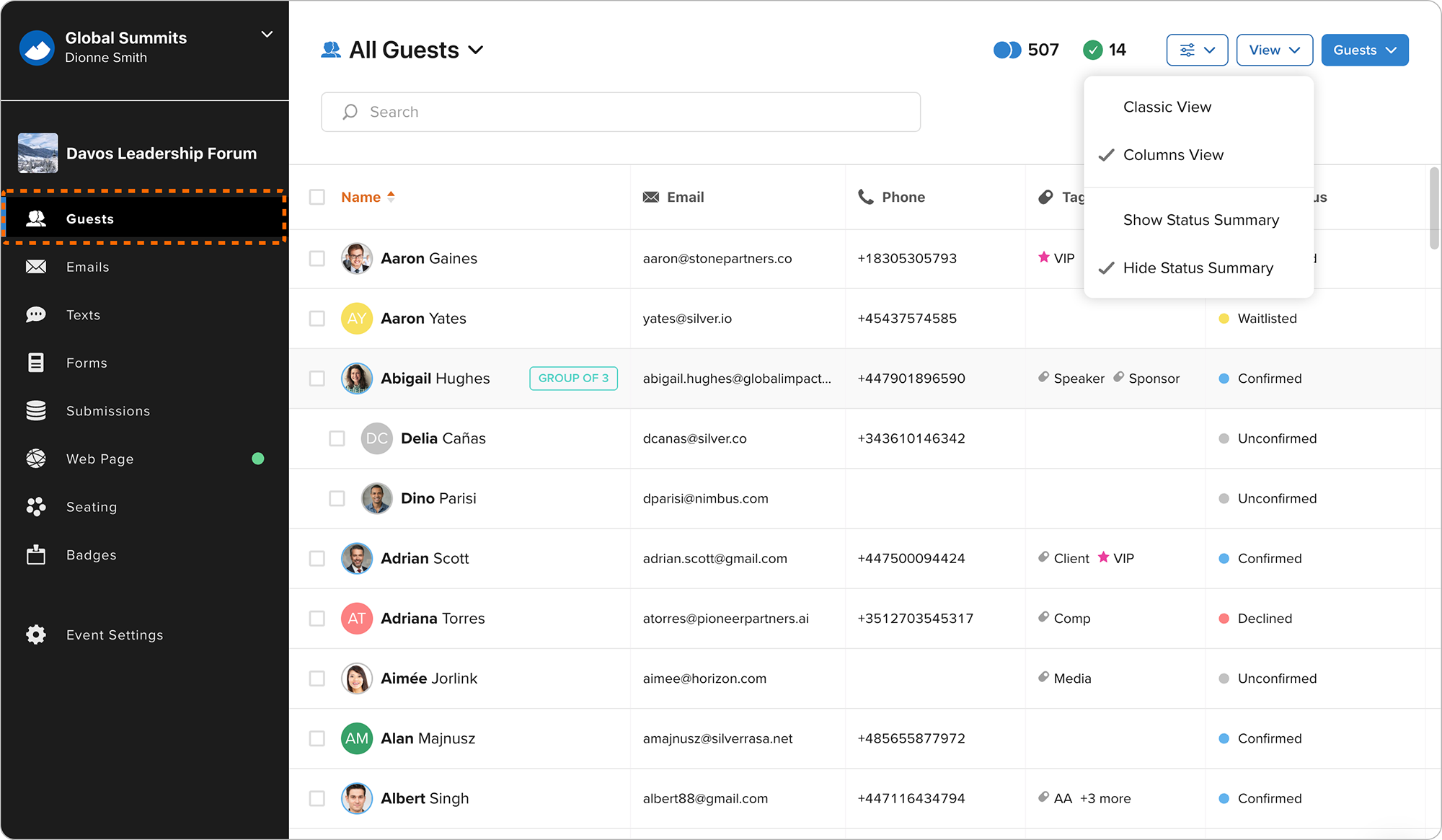
The Guests section has been redesigned with a new Columns View, allowing you to browse guests in a spreadsheet-style layout. You can sort data, show or hide columns, and resize them to match your workflow. A new Status Summary also provides…
New Feature
Many improvements were made to the recently launched Website Builder to streamline page editing and content formatting: All Web Page menu options are now fully visible, making it easier to access and repeatedly use common actions, such as…
Improvement
The Badge Builder now includes a snap-to-grid feature, making it easier to precisely align text, images, shapes, and QR codes when designing badges. This helps create cleaner layouts with improved placement accuracy.
Improvement
Fixed an issue that prevented the Event Activities selector modal from scrolling.
Android App

The Event Web Page brings together your Hero section, registration forms, speakers, agenda, custom content blocks, vanity URL, publishing controls, and built in analytics in one place. Design your page, preview it in draft mode, and publish…
New Feature
Badge Builder now supports three new merge fields: Form Name, Ticket Name, and Guest List. These fields can be added to any badge template and are generated dynamically for guests in both the web app and the iOS app, enabling more flexible…
Improvement
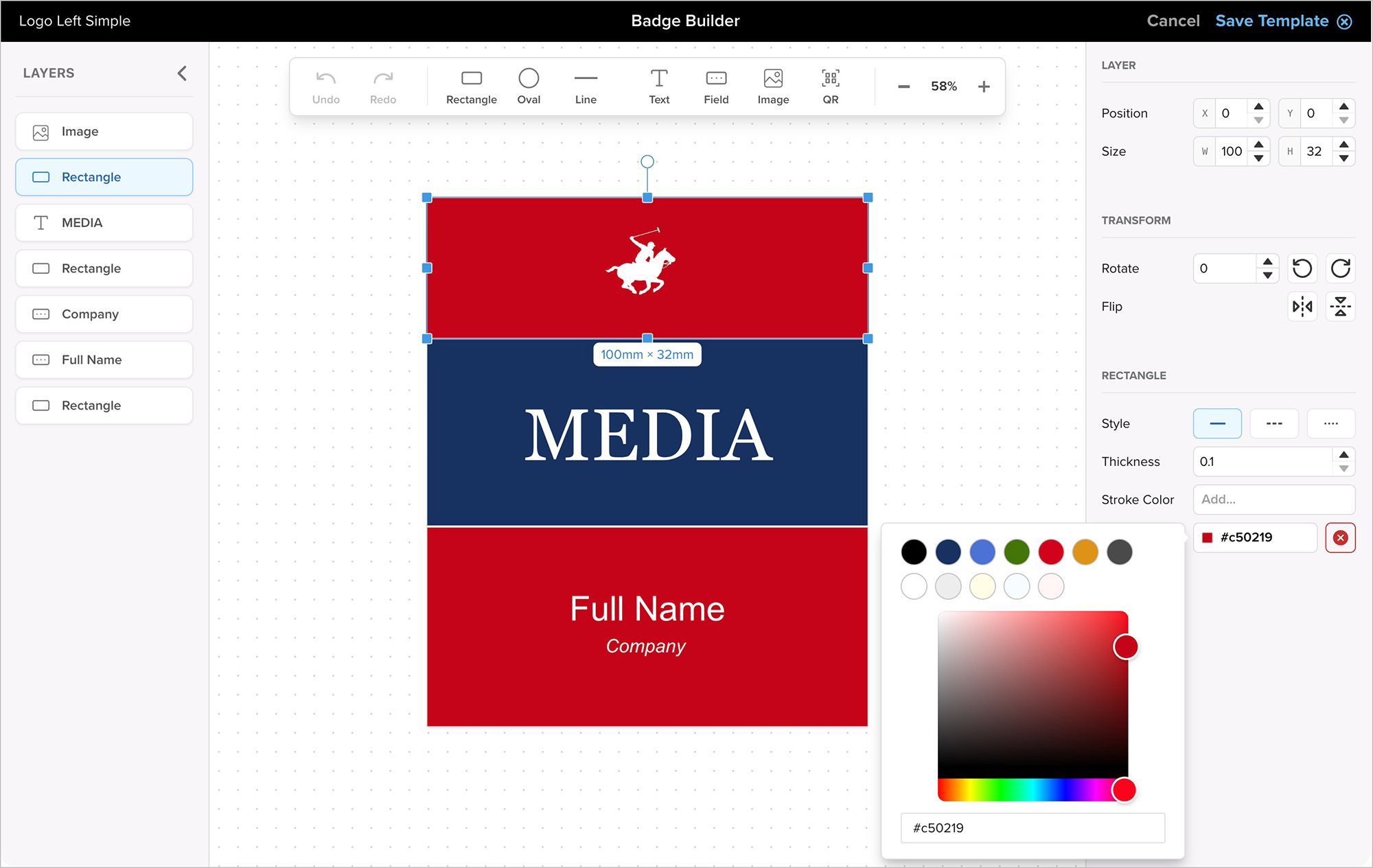
Diobox Badge Printing now supports generating and downloading badges directly from the web app. You can create badges for a single guest or multiple guests on demand. This update allows fully custom badge sizes and color options without…
New Feature
Adds new badge printing templates, providing more starting points for creating and customizing designed badges for your event.
Improvement
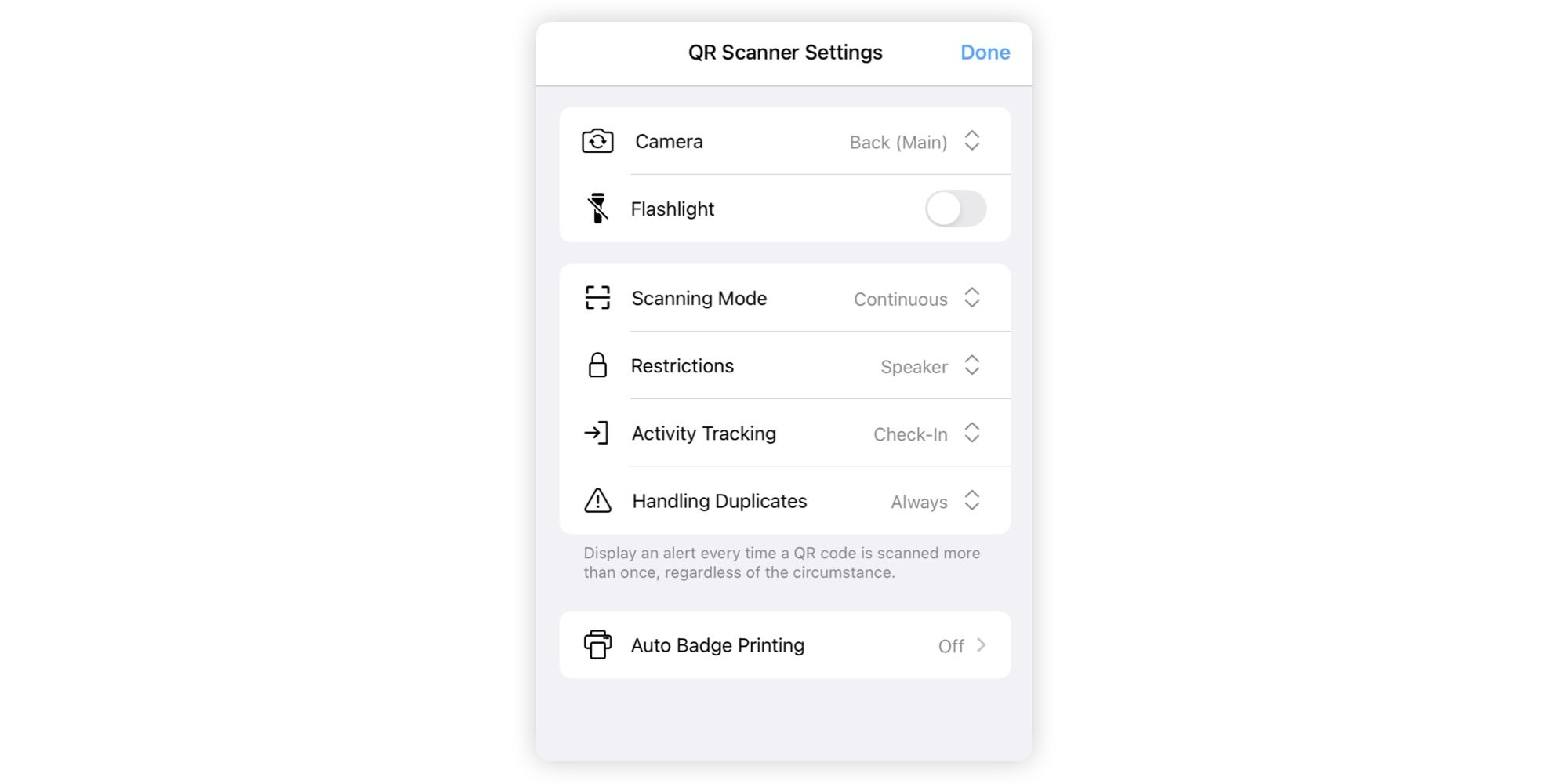
The QR Scanner setup has been redesigned with a modern, streamlined settings page. All related configurations are now consolidated in one place, making it easier to manage and adjust your scanning setup.
New Feature, iOS App
Resolves two issues in the Email Builder: images now align correctly to the left or right, and resizing images no longer causes display issues.
Fix