What’s new
New features, improvements and fixes in Diobox, as they ship.
New features, improvements and fixes in Diobox, as they ship.
Includes a new badge printing template (Stack Landscape) Guest history shows new activity when the Confirmation Status is updated
New Feature, iOS App, Improvement
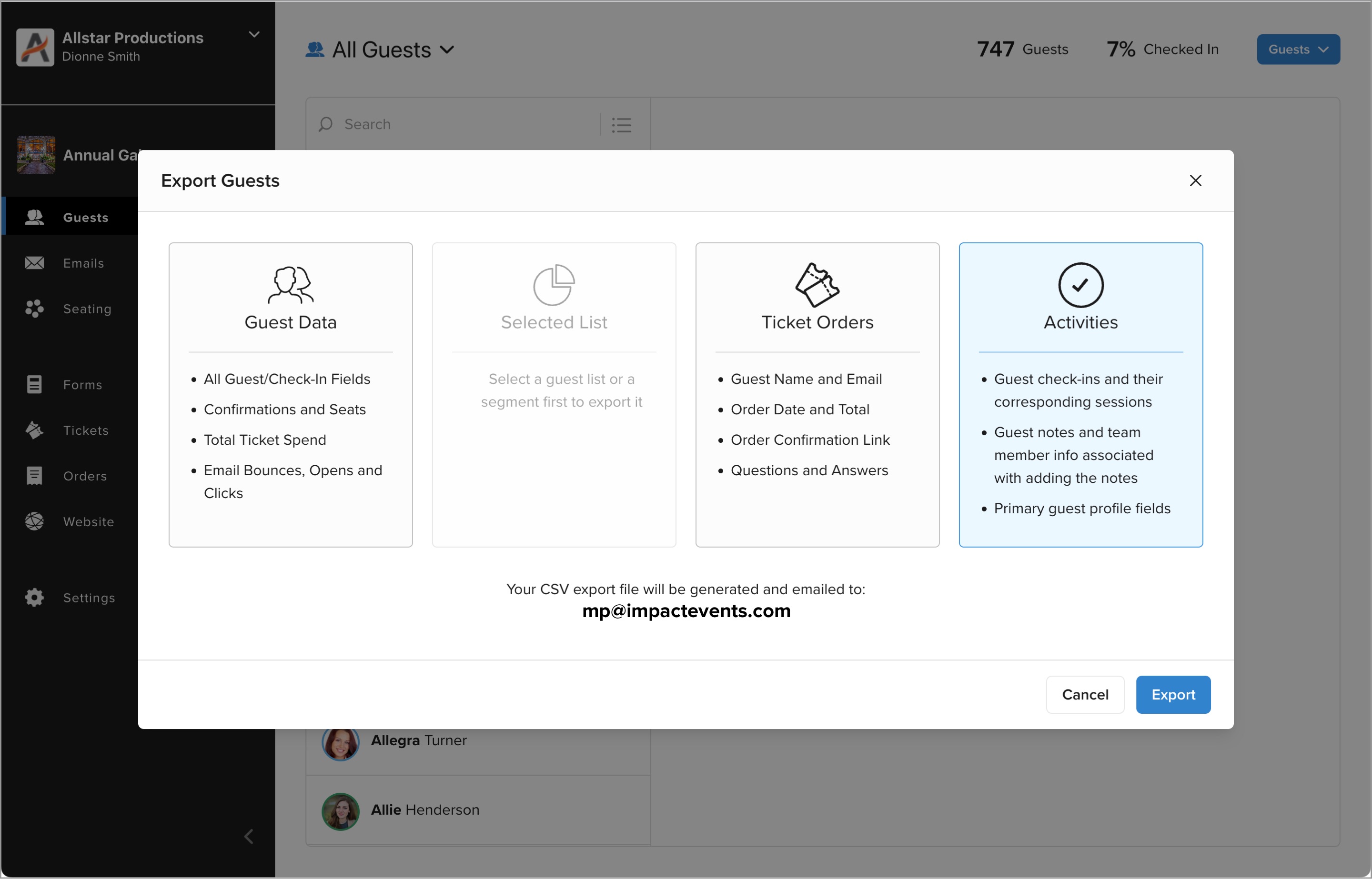
There is a new Export Activities option which generates all guest Check-Ins, corresponding Check-In Sessions as well as all the Note Activities. These notes keep track of guest confirmation changes and any manual notes your event team adds…
New Feature
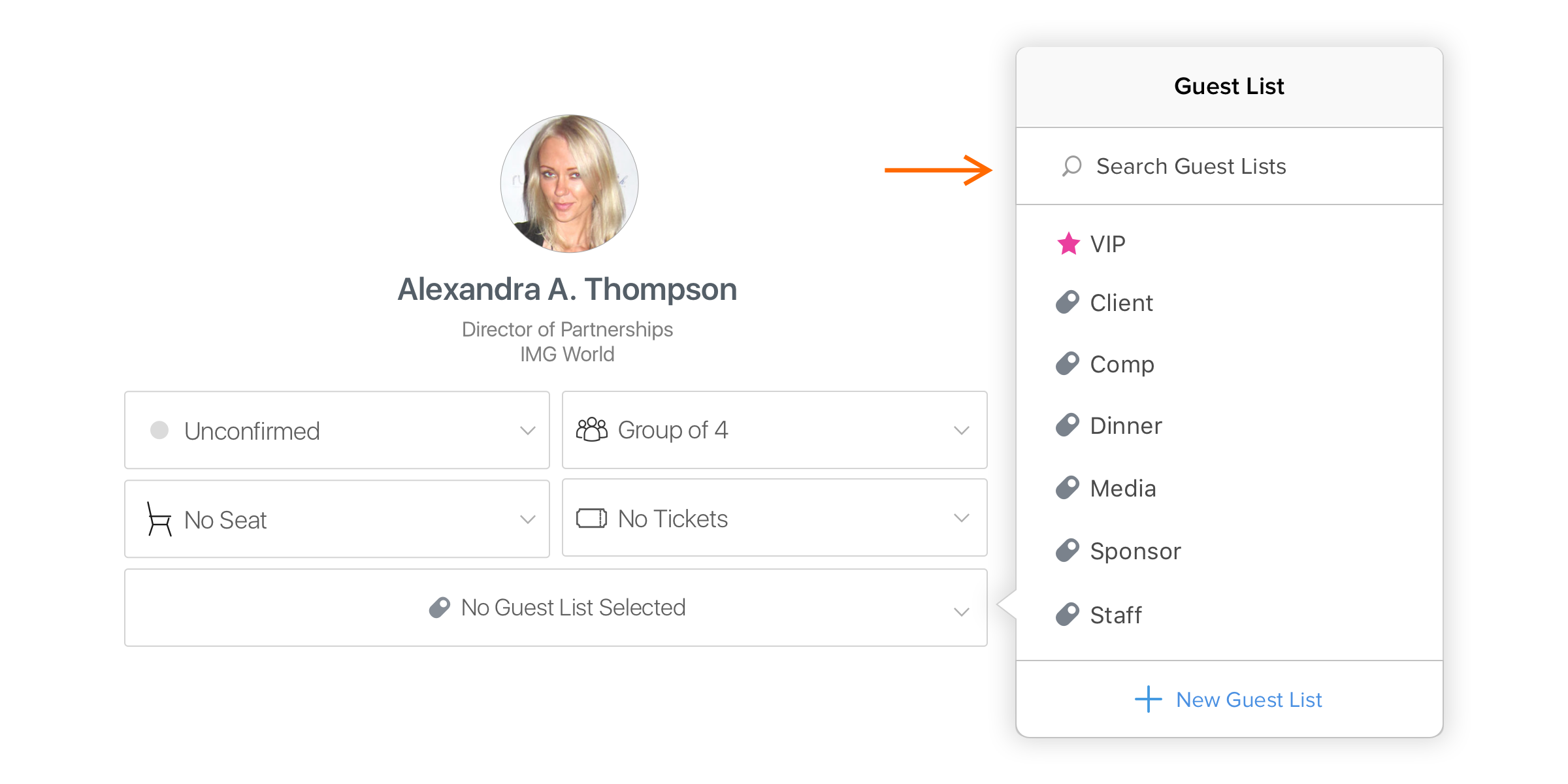
If your event has too many Guest Lists, now you are able to search the list to quickly tag the one you looking for to the guest.
New Feature
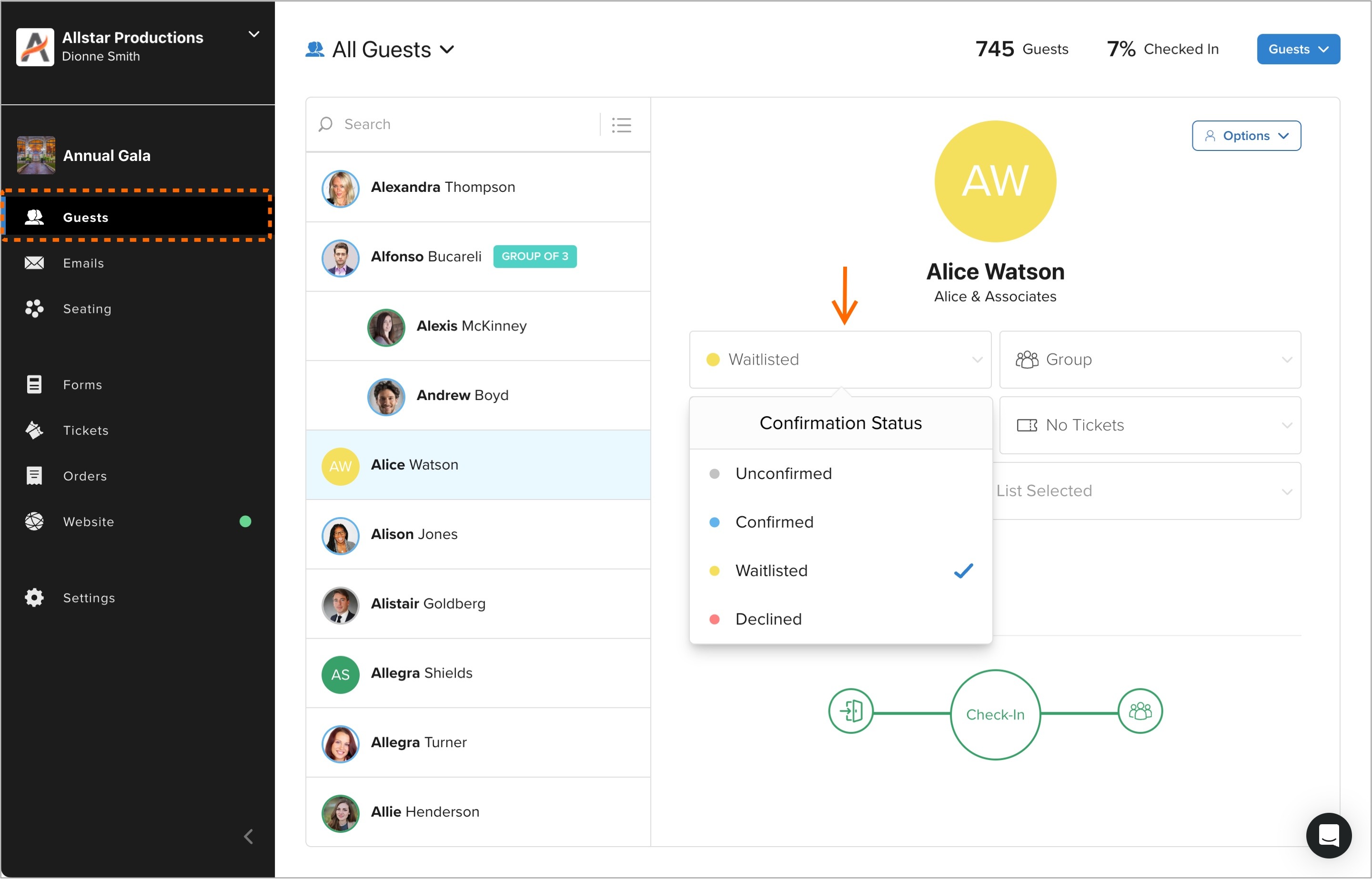
Waitlists is a major new features of Diobox, enabling event organizers to qualify prospect guests before confirming them to attend.
New Feature
This feature allows your guests to fill out the registration form to request an invite and go through an approval process before they get confirmed.
New Feature
You can now specify the date format that appears in the subject line of the automated email confirmations.
New Feature
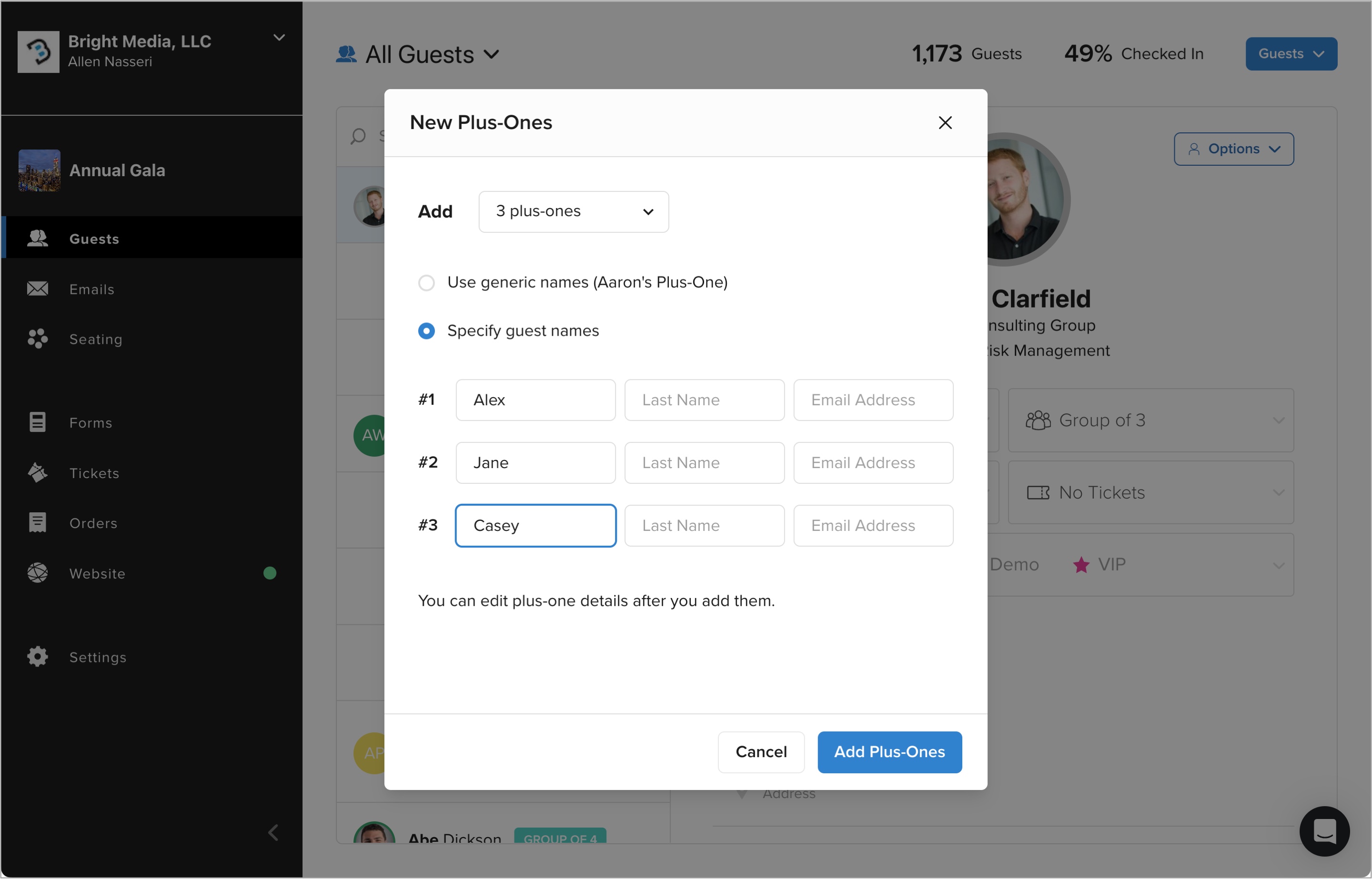
You can now add multiple plus-ones to a guest in bulk using this new modal. This feature allows you to create plus-ones in two different ways: Use generic names (like Aaron’s plus-one) if you don’t know the names of those guests…
New Feature
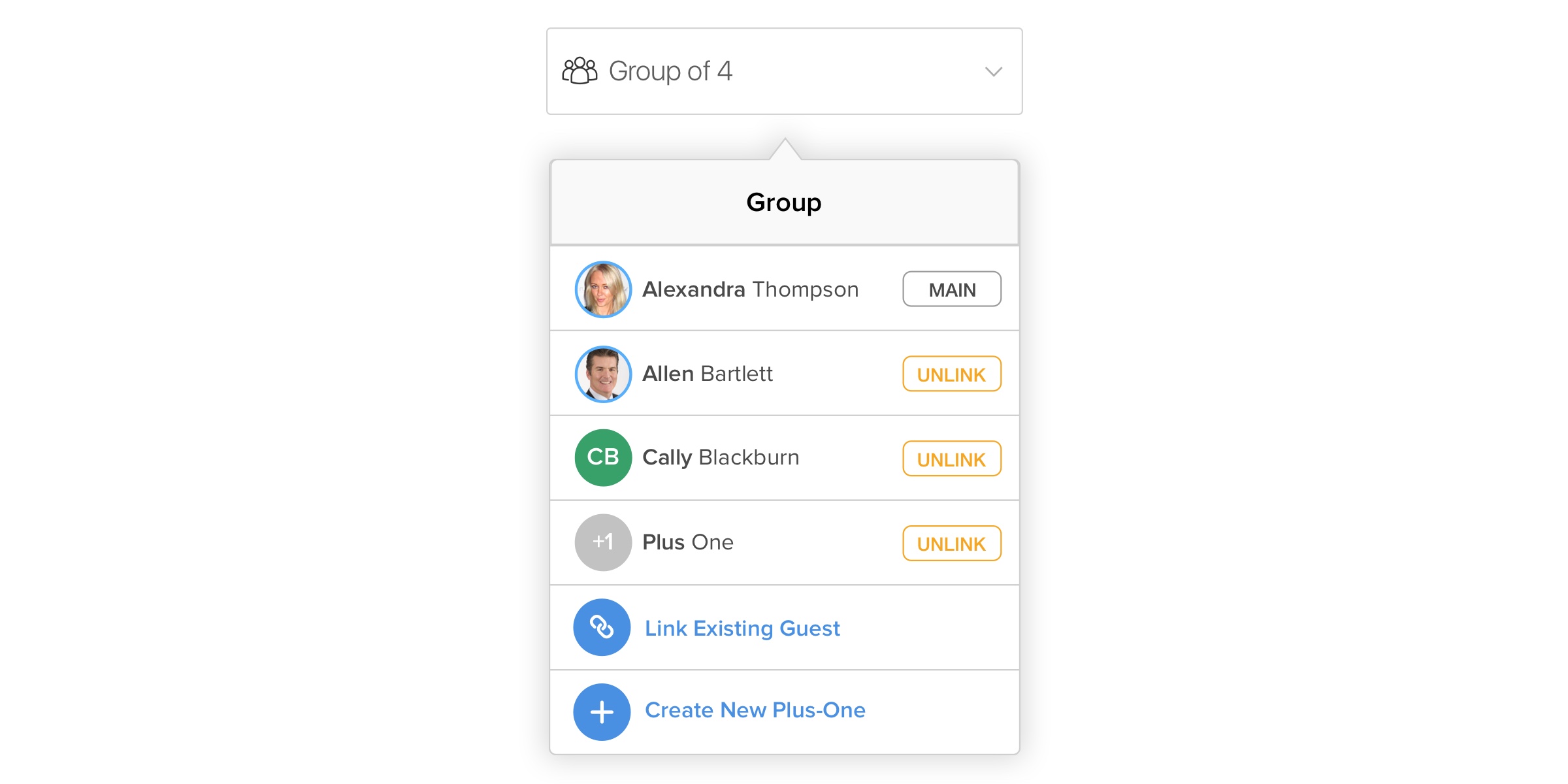
The Guest Group feature allows you to link guests and their plus-ones to help you manage them together. Groups can be used throughout the product, including on guest lists, check-in, and seating modules.
New Feature
Diobox 5.1 includes two major new features: (1) Groups & Plus-Ones: Link guests and their plus-ones to help you manage them together, and (2) Dark Mode: Enjoy the modern design of Diobox all in glorious dark mode!
iOS App, New Feature
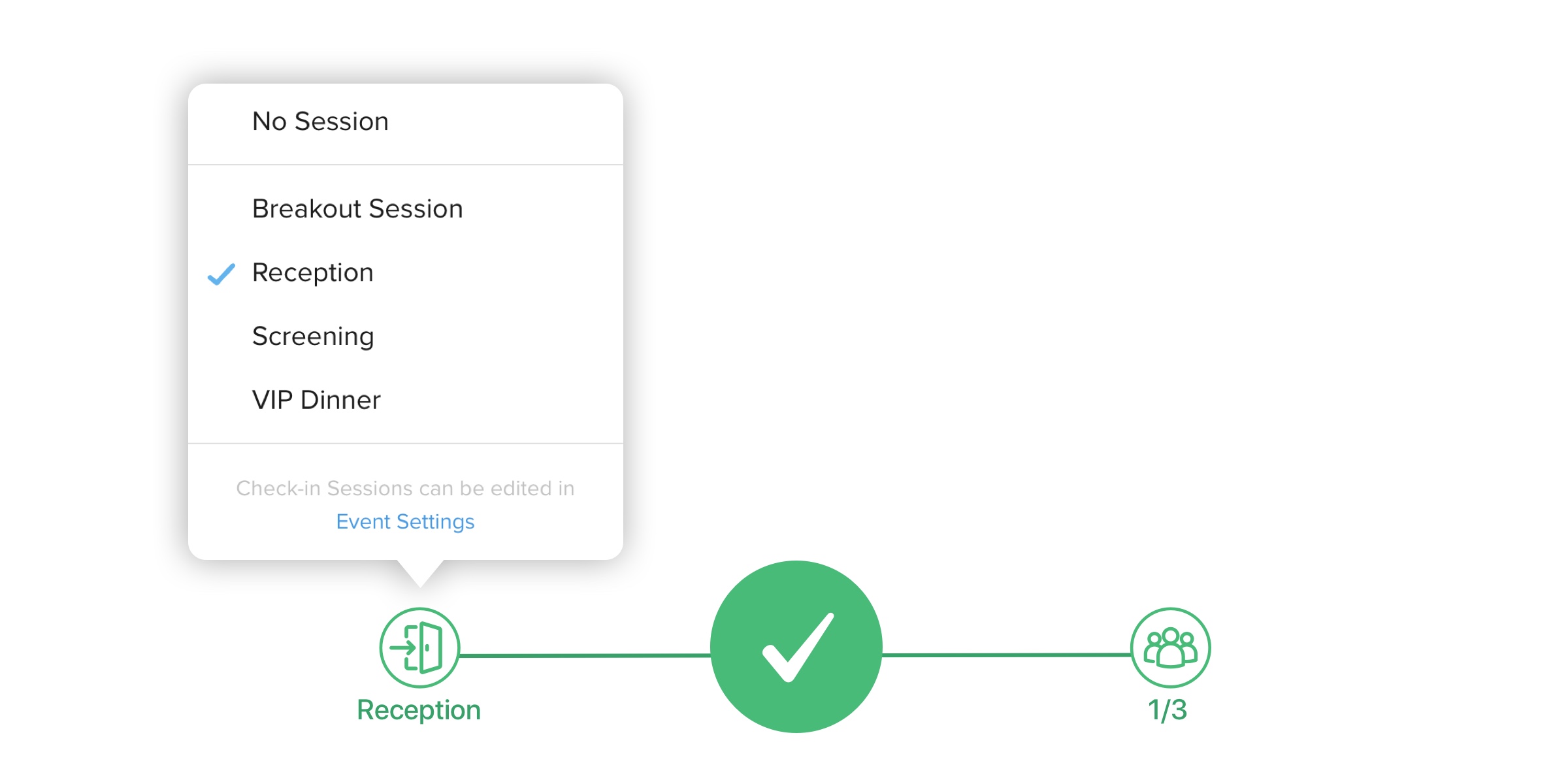
The two buttons on each side of the check-in control now provide new functionality: (1) Switch between different check-in sessions, and (2) Check in groups in a single click.
New Feature
This feature allows you send a copy of the same invitation or email message to multiple people that are affiliated with a guest. For example, if a guest has an assistant, a manager, a publicist, or a support team, you'd be able to CC…
New Feature
In addition to the calendar invite included in the automated email confirmation, guests will be able to add the event to their calendars on: Google, Apple, Outlook, and Yahoo.
New Feature