What’s New
New features, improvements and fixes in Diobox, as they ship.
Updates have been applied to password reset screens, ensuring a smoother and more responsive experience on mobile devices.
Improvement
Laying the groundwork for exciting new features Updates to badge printing templates
Improvement, iOS App
The web app now introduces improved and consistent notifications, ensuring that the alerts are uniform across key features, making it easier for users to stay informed and engaged with changes to settings, guest data, and emails.
Improvement
This update rolls out autosave to all screens of the Email Builder, ensuring that all inputs and changes are automatically saved when navigating between the page.
Improvement
The Group Check-In experience is now simpler for guests arriving with their plus-ones, streamlining the process and reducing wait times.
Improvement
Adds City and State fields to Badge Printing templates Built using iOS 17 SDK
Improvement, iOS App
All pages in Diobox are now displayed in full width, without any additional padding. This enhancement optimizes the use of screen real estate and improves the user experience across all devices and display sizes.
Improvement
Several improvements and fixes were made on Guests page, including: The Plus-One dropdown menu supports larger groups and is naturally sorted Improved field alignment in Guest Edit view Switching between guests is now instant Scrolling…
Improvement
Improvements for iOS 17
Improvement, iOS App
Made several minor seating improvements and fixed an issue where the tables in a seating chart appeared without proper padding.
Fix, Improvement
When editing a guest, the system now includes real time validations to ensure data accuracy. This includes checking for correct email address formats and helping to avoid typos before saving the record.
Improvement
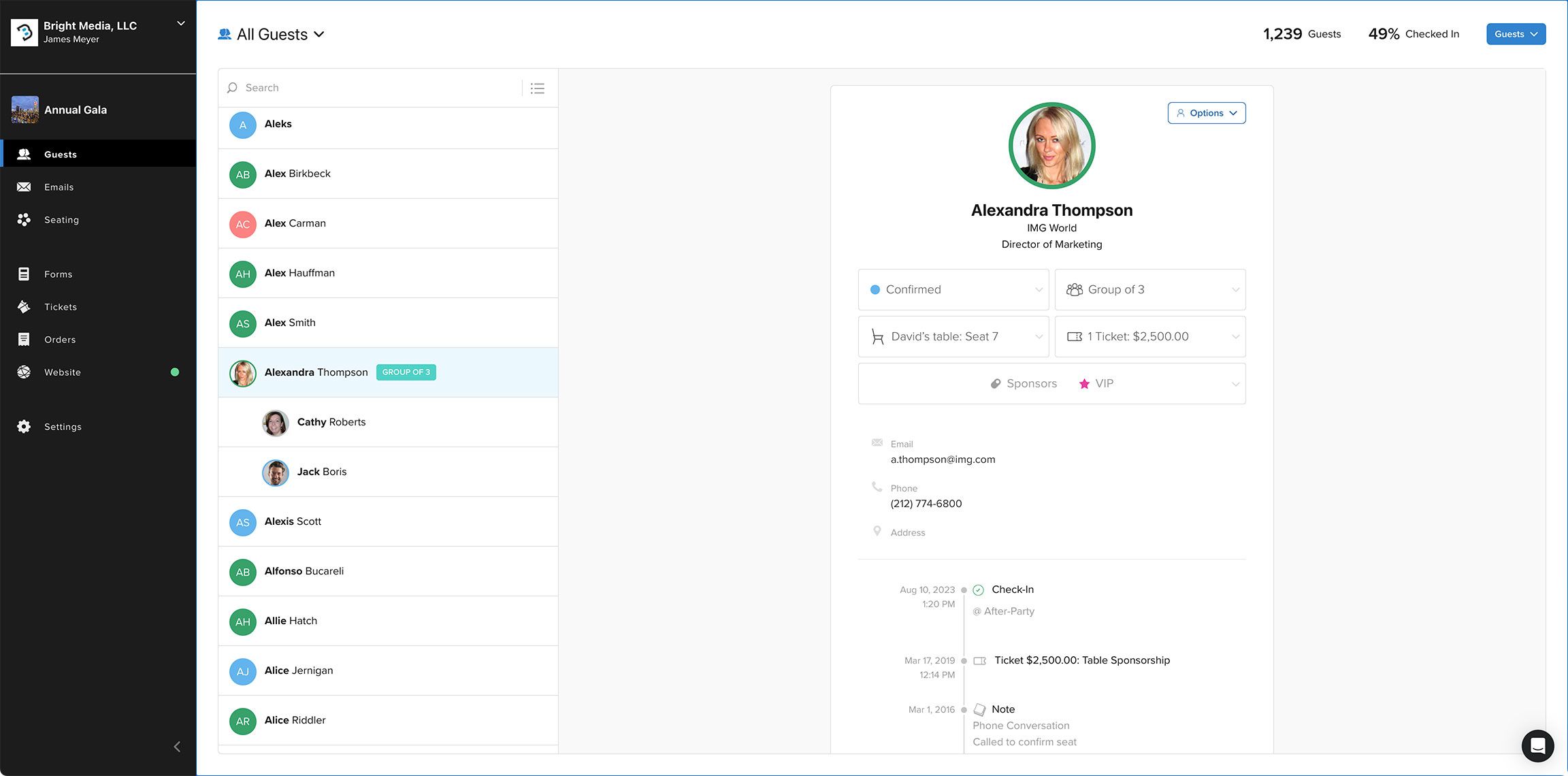
All pages in Diobox are now proportionally rendered, supporting both small and large displays, including 5K displays.
Improvement