What’s new
New features, improvements and fixes in Diobox, as they ship.
New features, improvements and fixes in Diobox, as they ship.
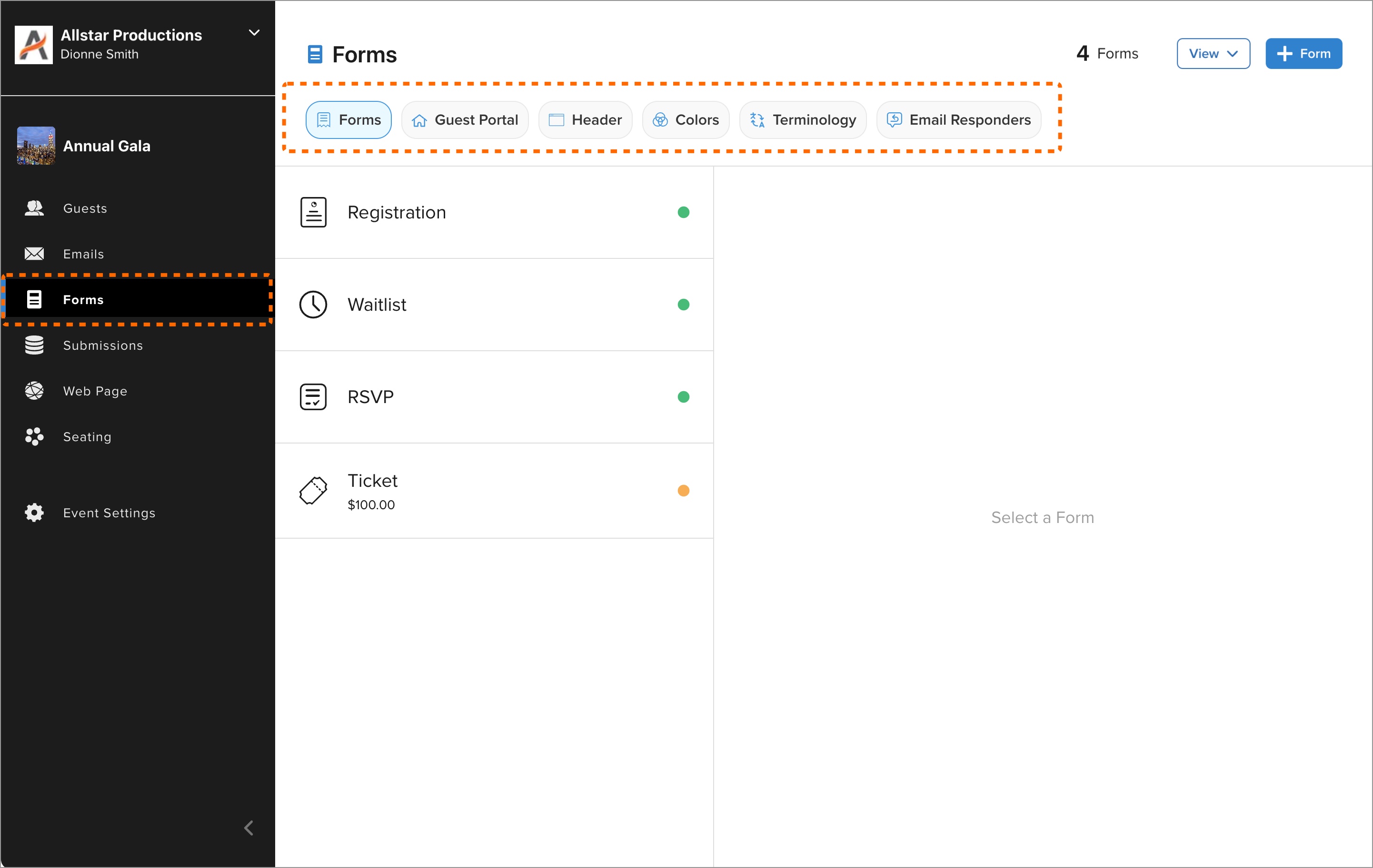
All Guest Portal functionality has been merged into the Forms section, consolidating customization options in one place. Categories have been reorganized into simpler sections, making it easier to manage and customize forms.
New Feature
You can now select a badge template before printing it directly from the guest profile or after scanning a QR code. Separate template selections for manually and automatically printing badges are also remembered. This feature saves time and…
iOS App, New Feature
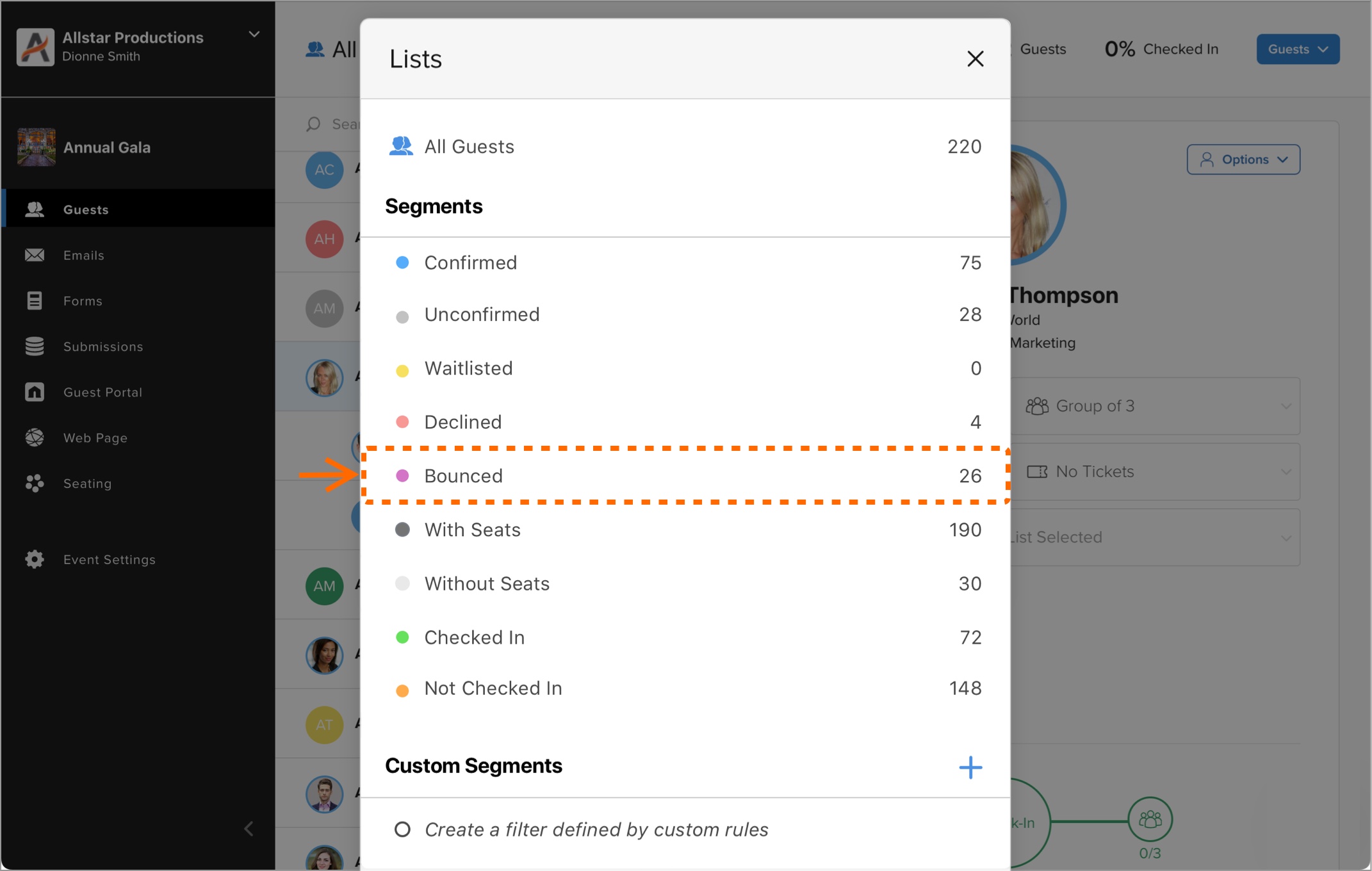
A new “Bounced Email” segment has been added to the Guest List modal, displaying a live, consolidated list of email bounces. This includes both soft and hard bounces, ensuring easy access to track bounced emails after sending.
New Feature
Diobox v6.6 introduces several new features and improvements: Improved Email Statistics: You can now filter email campaign results by detailed “hard bounce” and “soft bounce” statuses, giving you better insight into your outreach…
iOS App, New Feature, Improvement
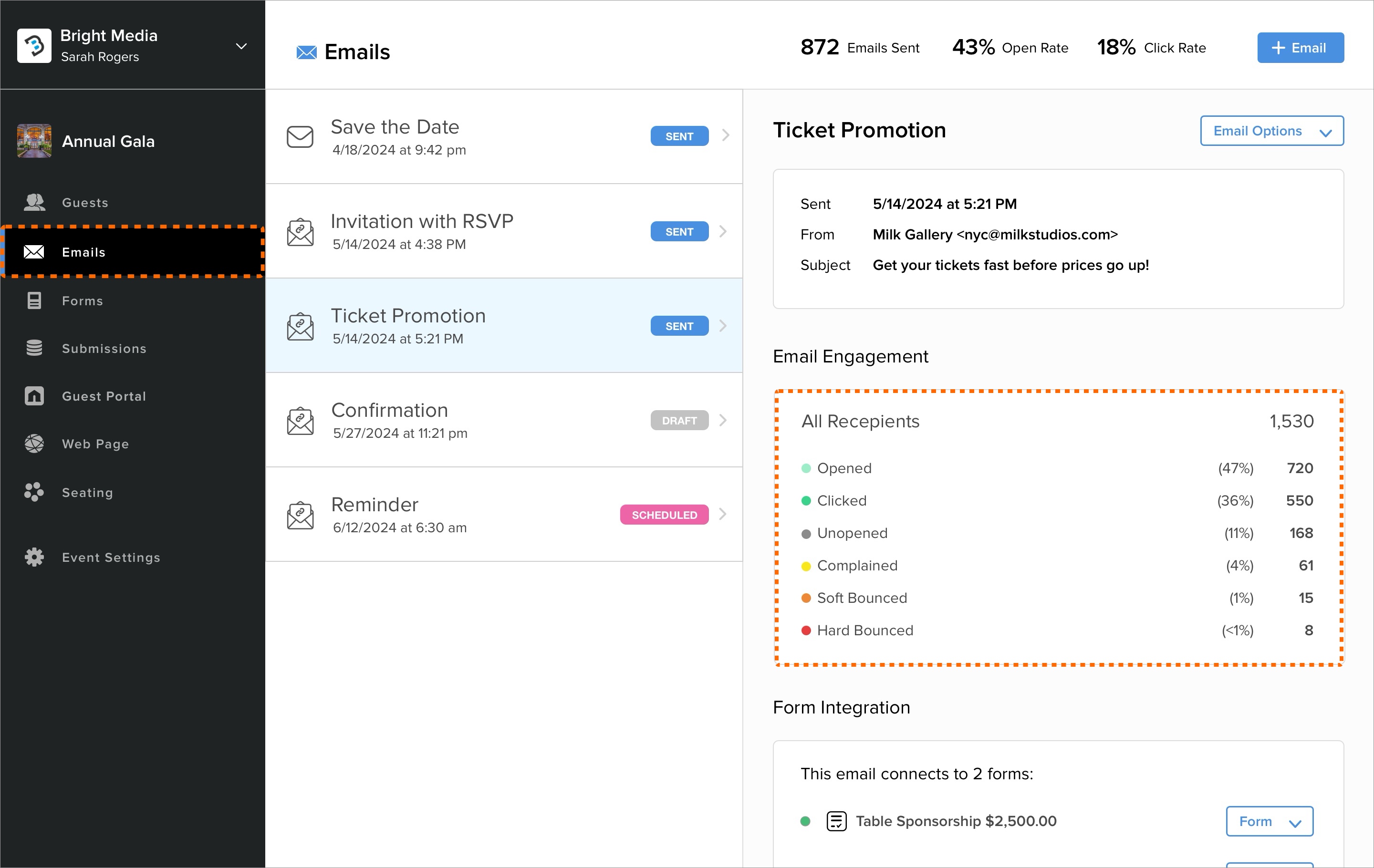
Invitation emails now come with advanced tracking for Soft Bounced and Hard Bounced messages! Get detailed insights into delivery issues, with Soft Bounced showing temporary setbacks and Hard Bounced indicating permanent failures. To learn…
New Feature
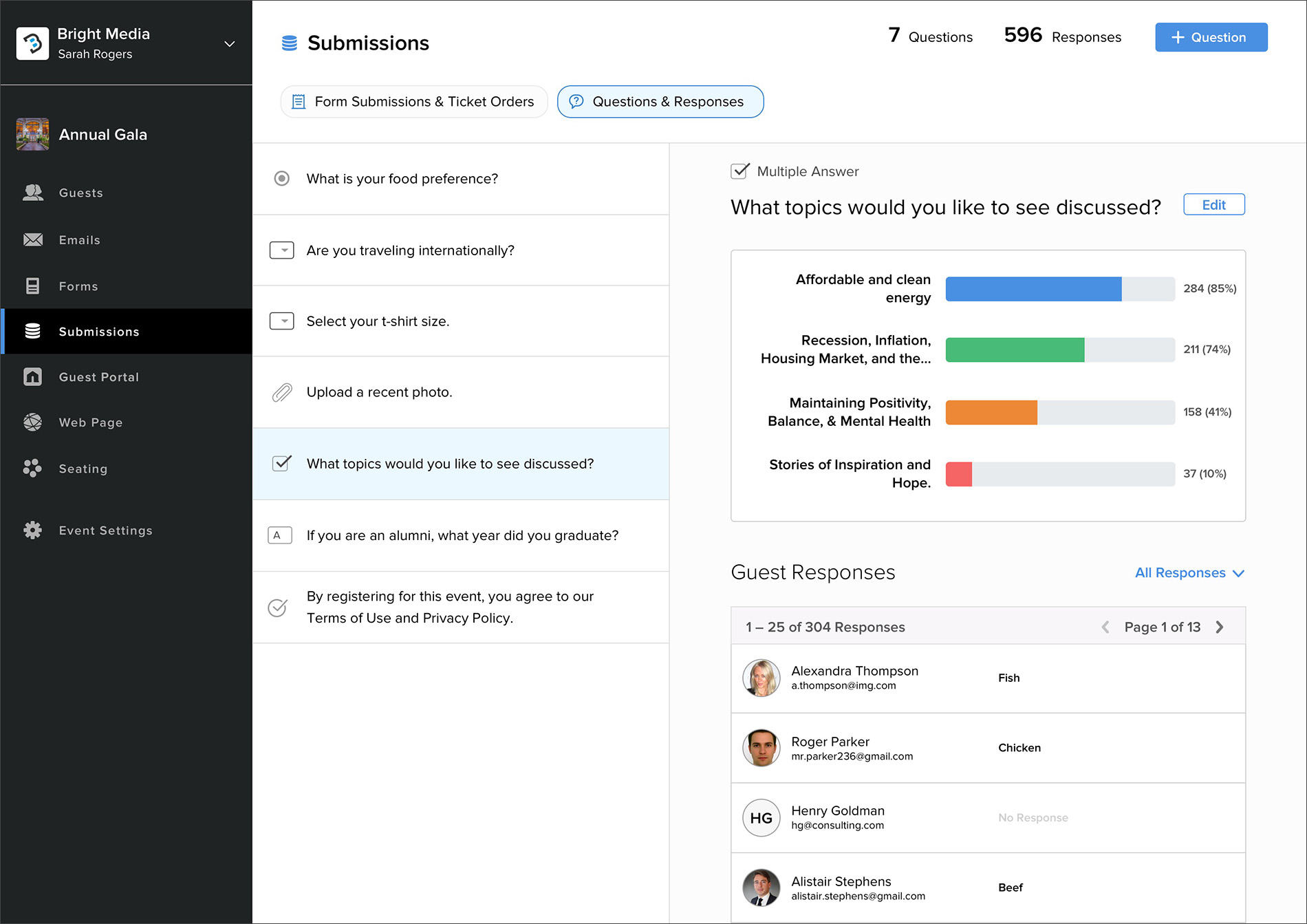
Significant updates have been made to the Question and Answers section: The Question and Answers section has been revamped with major updates, including: Enhanced Visualizations: New bar charts and pie charts for different types of…
New Feature
This version includes major updates to the QR Scanner, adding session-based alerts and registration form filtering. You can now specify new restrictions when scanning guest QR codes based on different criteria. Additionally, there are…
iOS App, New Feature
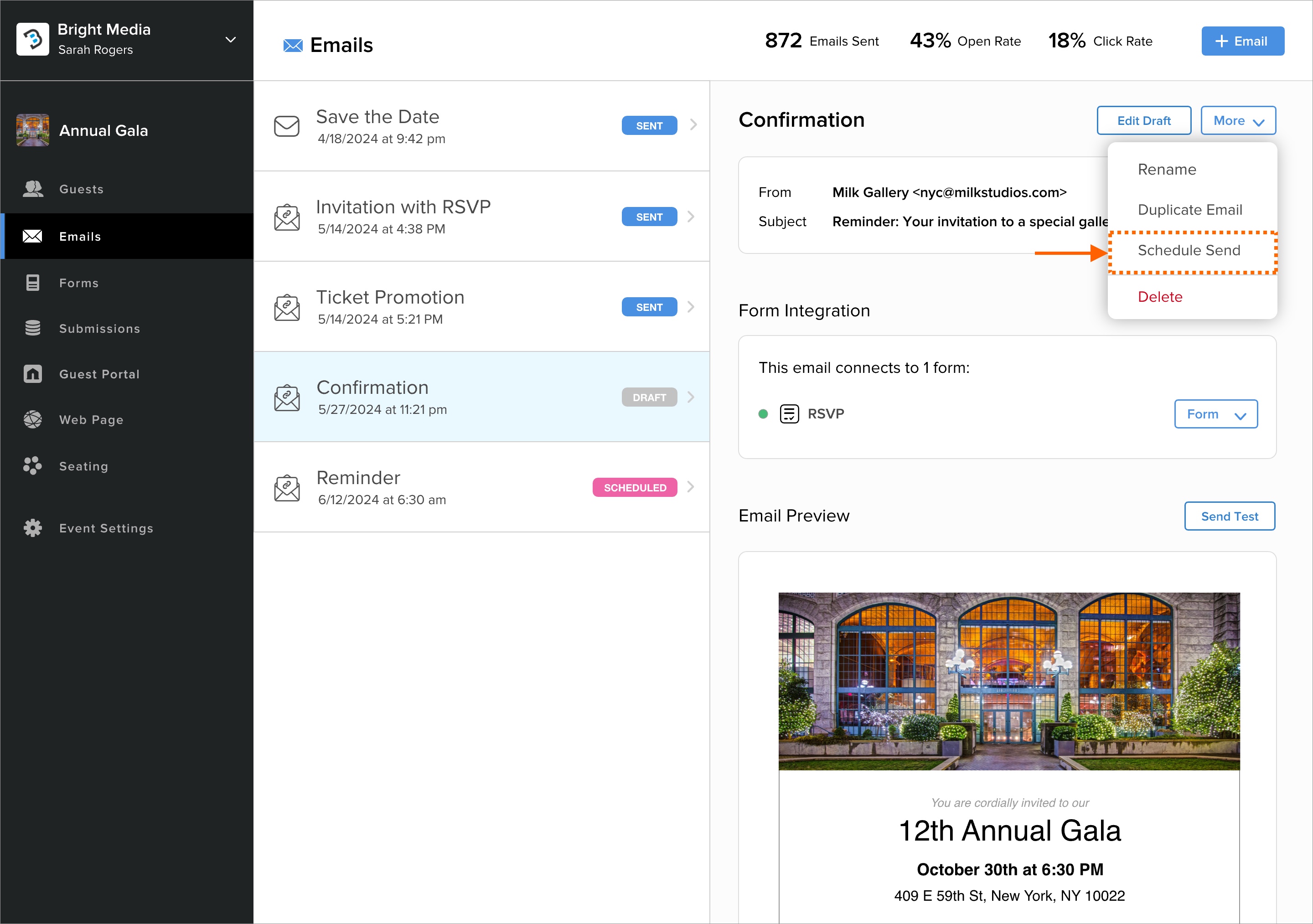
You can now schedule your emails for future delivery. In the Email Builder, select “Schedule Send,” and choose your desired date and time. Your email will be sent automatically at the scheduled time.
New Feature
This version introduces the new Event Activities feature, which combines Event Sessions and Check-Ins into a unified experience. The Check-In button is now customizable, allowing any text to be displayed to suit various event activities…
iOS App, New Feature
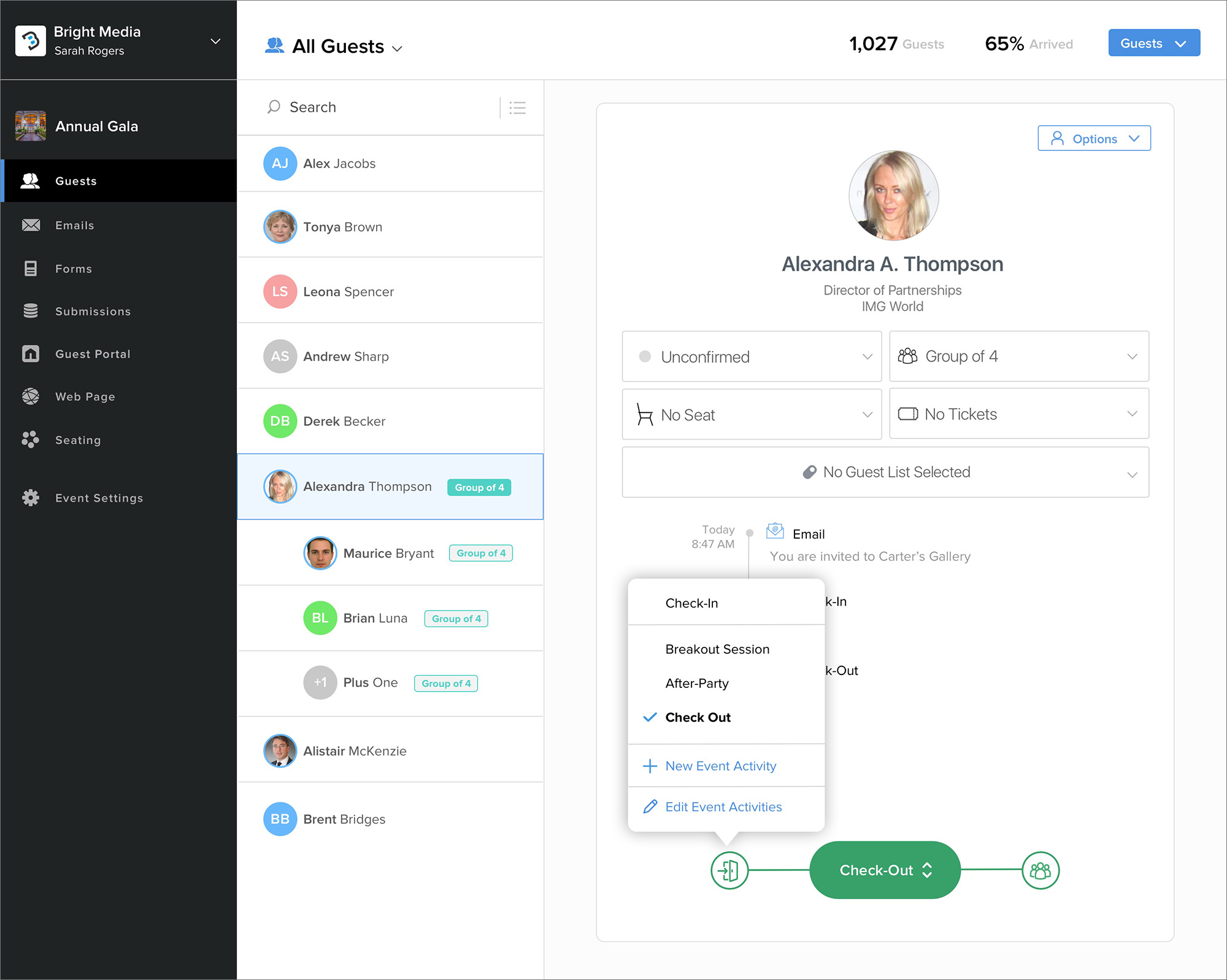
The Check-In button is now customizable, allowing any text to be displayed to suit various event activities, sessions, or even Check-Outs.
New Feature
We are excited to announce the addition of Point of Sale (POS) functionality to our app. This update transforms your device into a fully functional POS station, enabling you to: Process credit card transactions Accept cash and other forms…
iOS App, New Feature
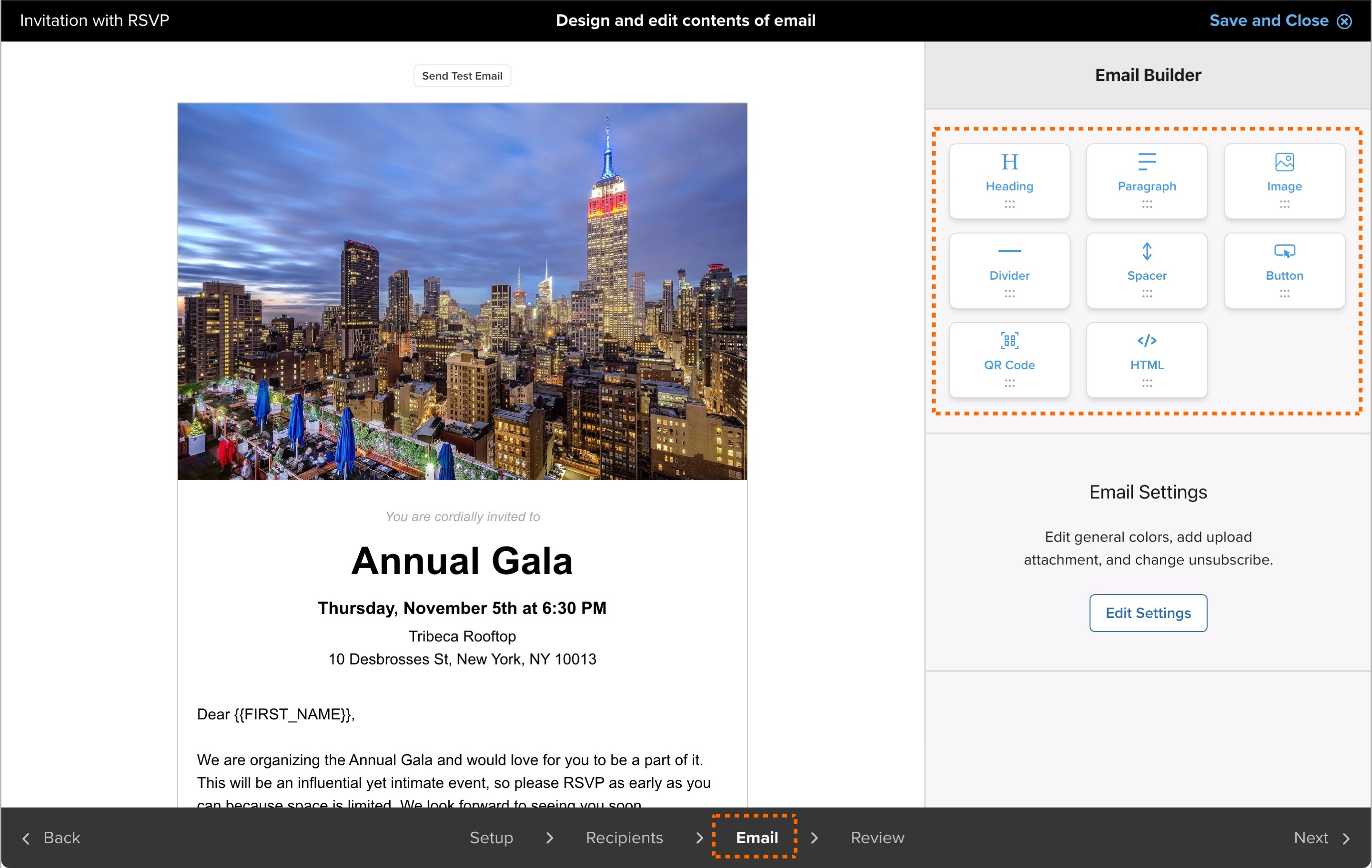
Both the Form and Email Builders now support drag and drop functionality! You can easily view all available content blocks in the right sidebar and simply drag your desired content block onto the canvas to add it. This enhancement makes our…
New Feature